Upgrade to ChatGPT Plus for Users in China: 2026 Guide
If you just want to complete your subscription as soon as possible, this article first helps you identify the most reliable upgrade path, then provides the full step-by-step workflow.
For users in China who don't have an overseas credit card but want to upgrade to Plus quickly while keeping payments convenient.
- First decide whether a gift card, a paid top-up service, or a self-issued virtual card suits you best
- Follow the tutorial to complete payment and top-up
- After topping up, check your subscription status and troubleshoot common issues in the FAQ
First confirm whether your account is currently within an active subscription period to avoid double top-ups or overwriting existing benefits.
# Overview (At a Glance)
Users in China can't directly use most domestic bank cards to subscribe to ChatGPT Plus on OpenAI. This article rounds up the common alternatives (virtual cards, overseas Visa/Master, PayPal, Apple/Google Pay, gift cards, etc.) and provides a practical step-by-step tutorial for the feasible gift card / paid top-up process, complete with screenshots and notes, to help you upgrade within 2 minutes (the process varies by third-party platform, so please read the platform's instructions carefully and assess the risks first).
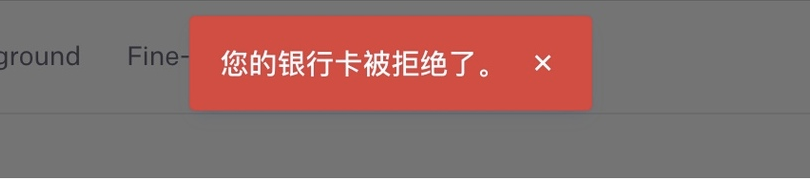
# Why Are Domestic Bank Cards Often Rejected?
- OpenAI strictly validates the card's issuing region and fraud risk control; cards issued in mainland China are often flagged as "unsupported region", resulting in
your card has been declined. - Sometimes the card itself hasn't enabled international payments, there's a 3D Secure issue, or the bank's risk-control policy is at fault.
# Currently Available Alternative Payment Methods (Brief Pros and Cons)
- Virtual cards (e.g., WildCard, etc.): fast, but some virtual cards may have service interruptions or security/compliance risks. In 2025, some services were suspended after reports, so choose carefully.
- Overseas physical Visa/Master cards: the most reliable, but the cost and barrier to obtaining them are higher.
- PayPal / Apple Pay / Google Pay: if you can bind them successfully, you can pay directly; risk-control restrictions apply depending on the account's origin.
- Gift cards / paid top-up services: the easiest to operate (suitable for users who just want to upgrade to Plus), but you need to choose a reputable top-up platform and understand the after-sales rules.
# Recommended Process: Using Gift Cards / a Paid Top-Up System (Example Tutorial)
This section is an example flow using a third-party top-up system page (demo). Please confirm the platform's qualifications and reviews first, operate cautiously, and protect your account privacy.
GPT upgrade system example: https://gptplus.org.cn/ (opens new window) (The screenshots below are all from the demo page)
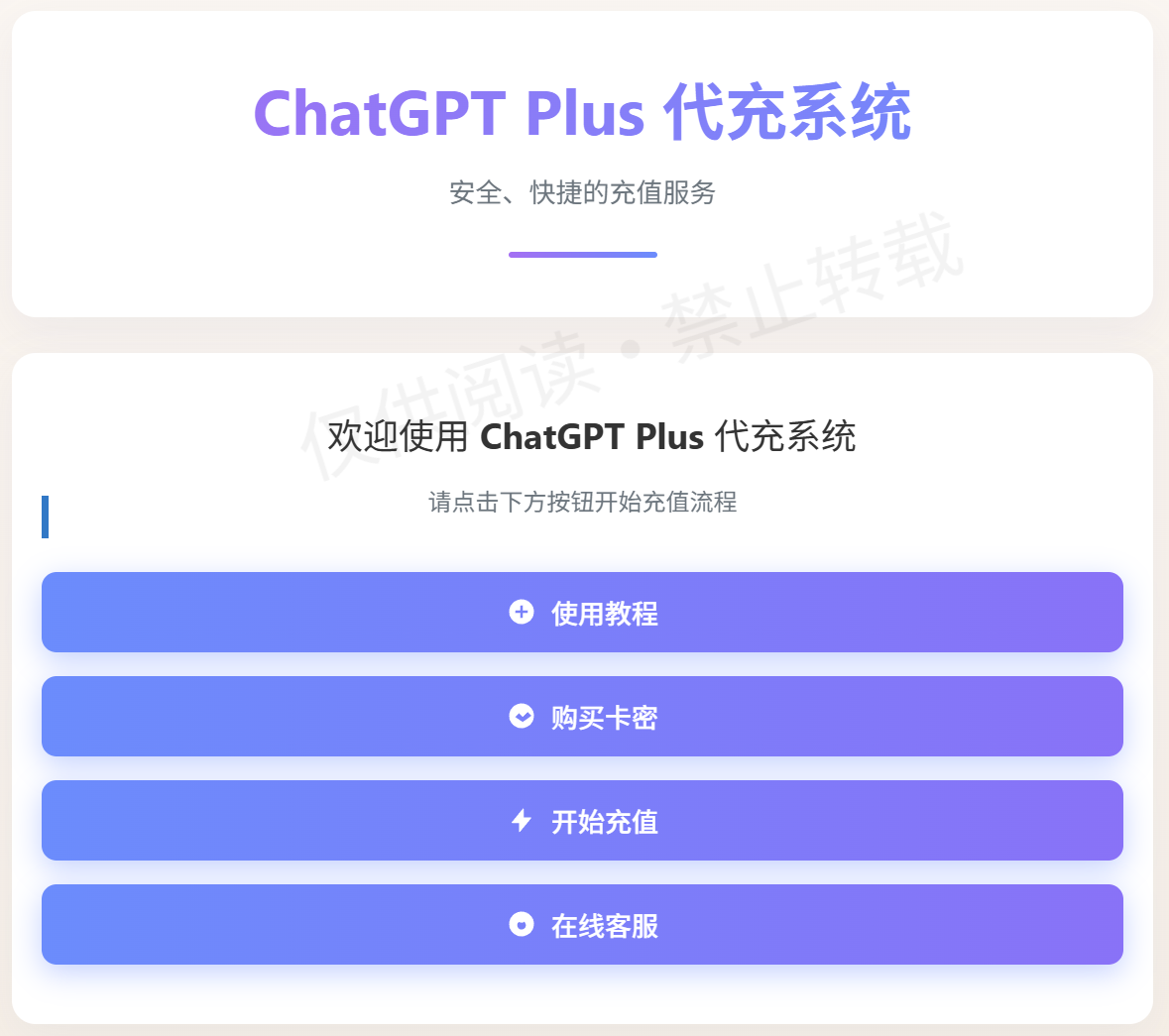
# Steps (In Order)
Buy a card code
- On the platform, select the card code corresponding to ChatGPT Plus ($20) and pay with WeChat Pay or another method the platform supports. The price is generally close to the official USD price plus the platform service fee.
- The platform page usually has a video tutorial; we recommend watching it once to understand the whole process.
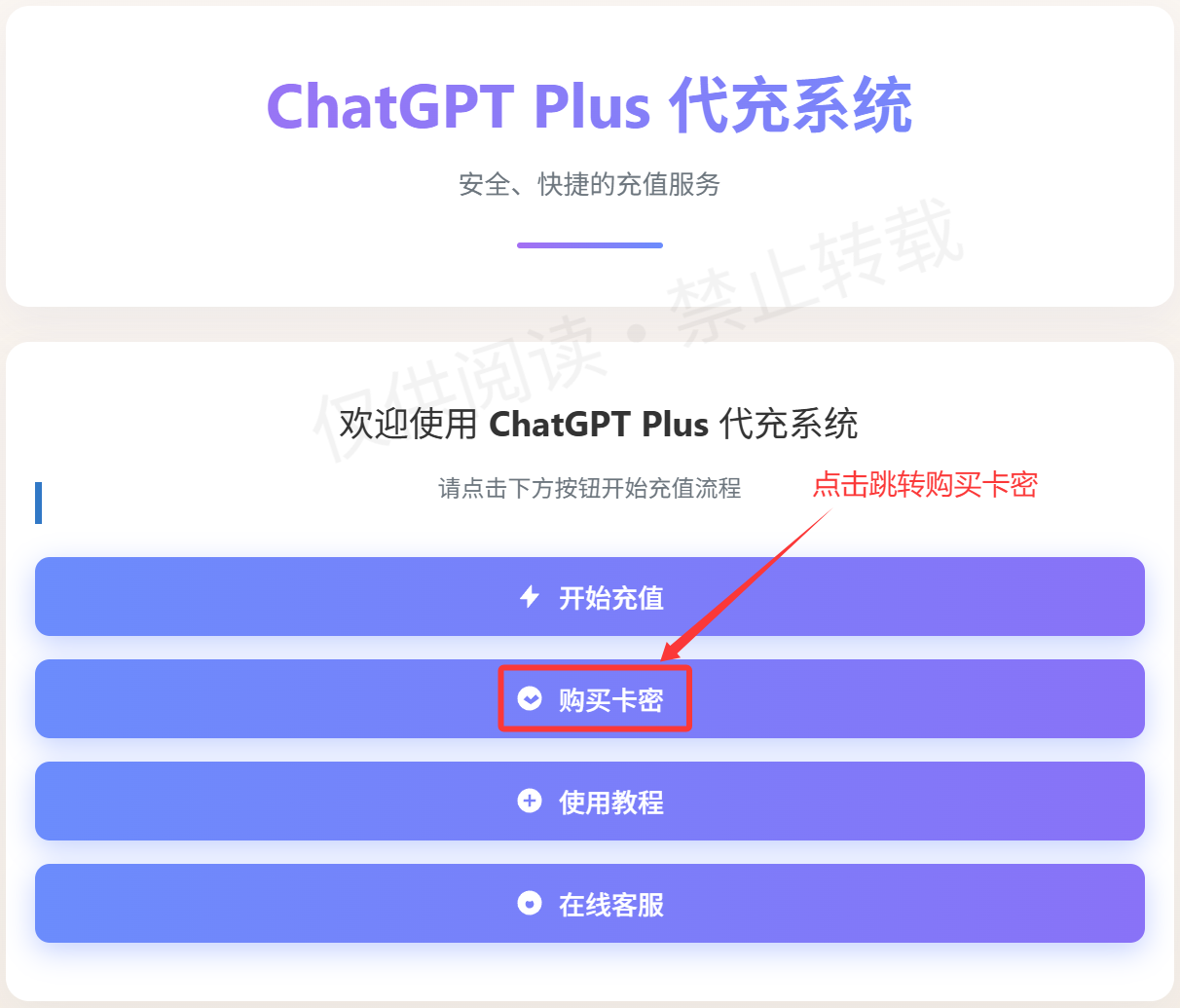
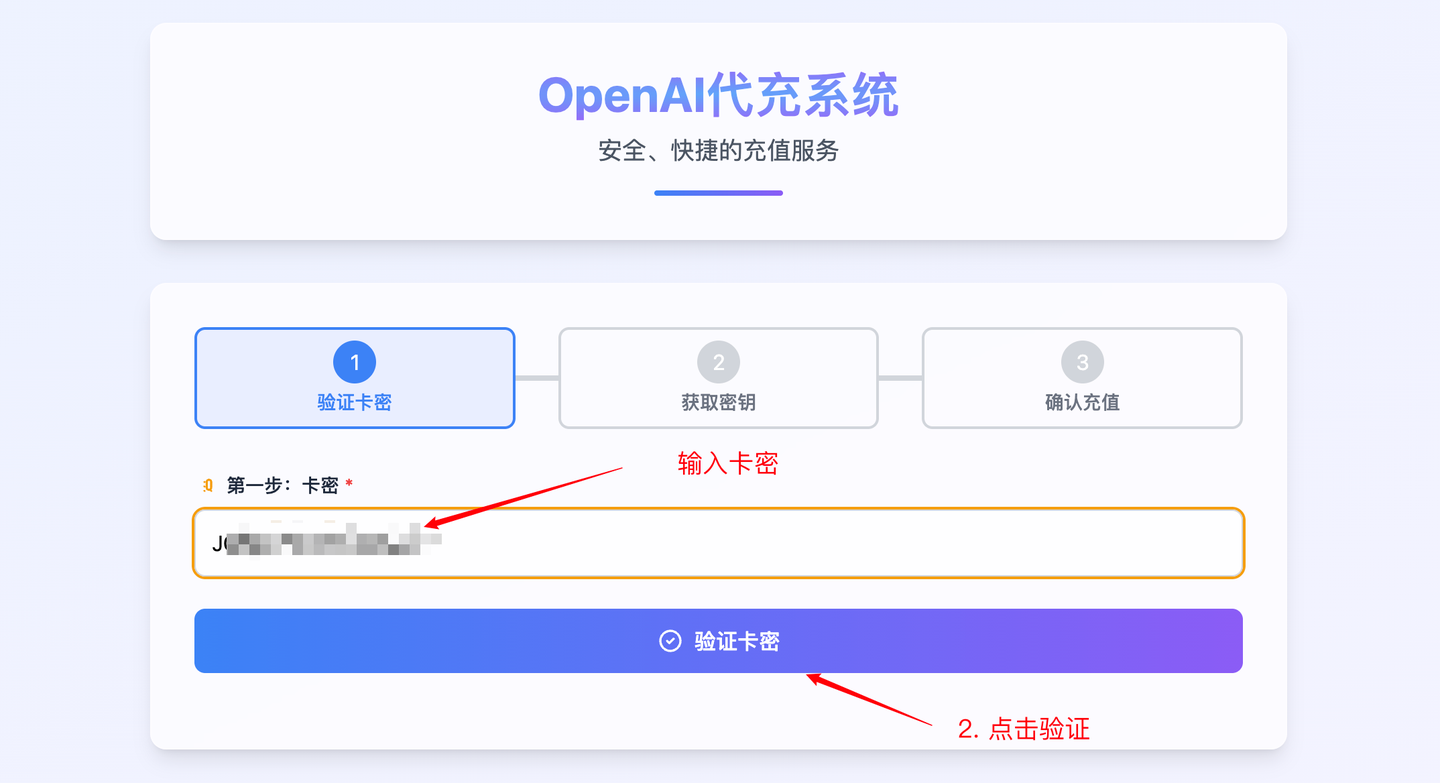
Click "Start Top-Up" and paste the card code
- Paste the card code you purchased into the input box and verify it.
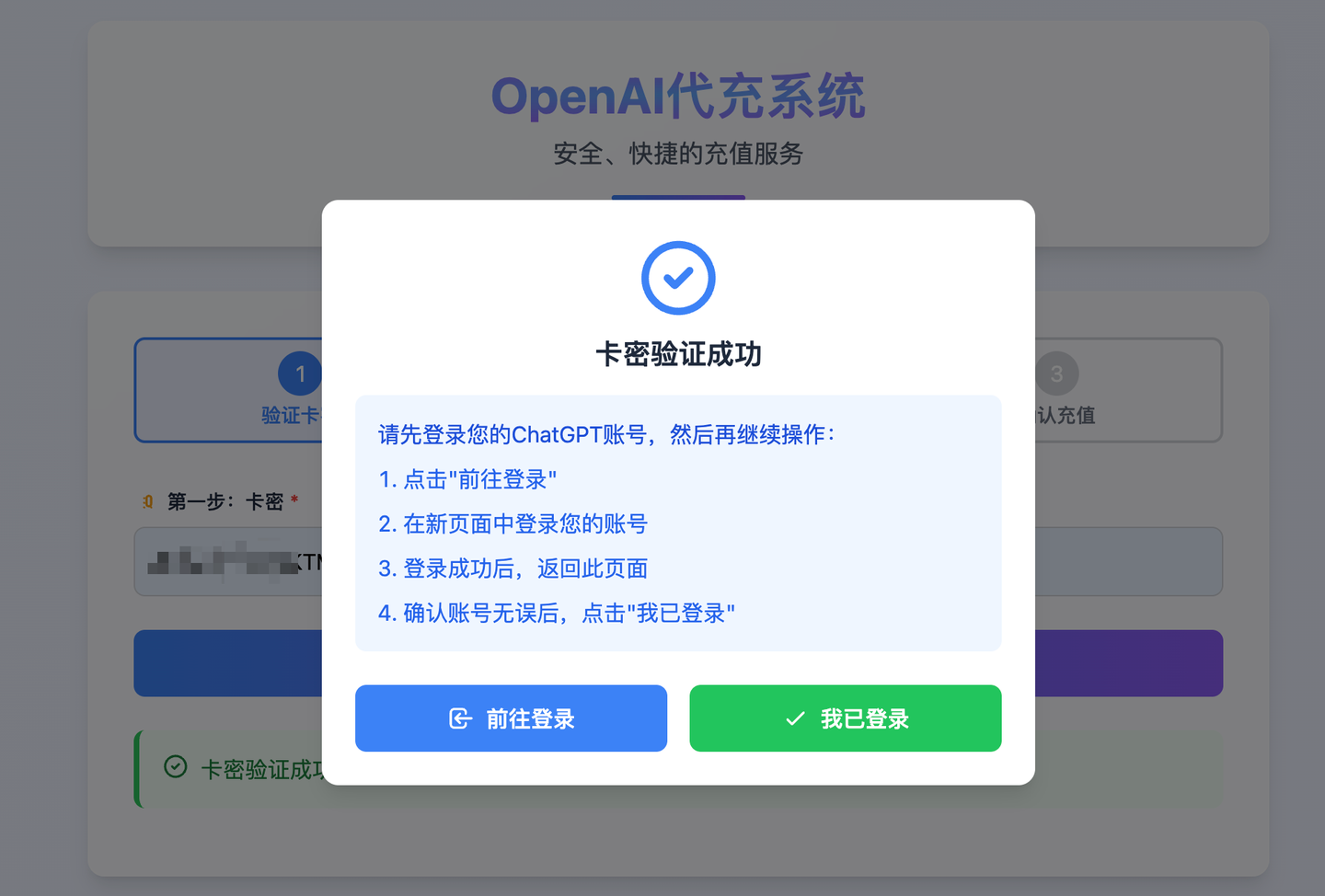
Log in to ChatGPT (if not already logged in)
- The platform will prompt you for the next steps. If you're topping up on behalf of someone else, we recommend logging in to the target account in an incognito/private window to avoid confusion.
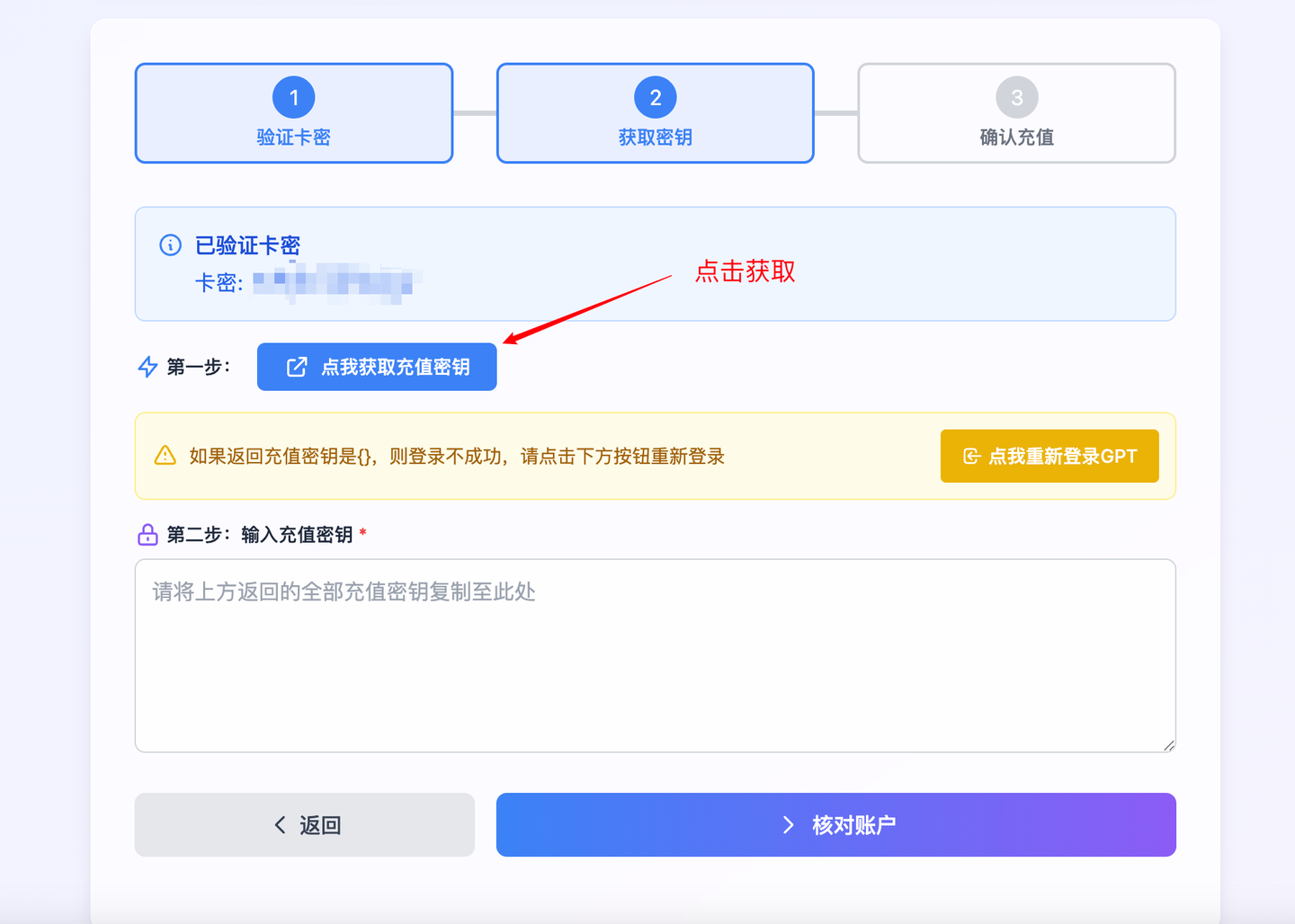
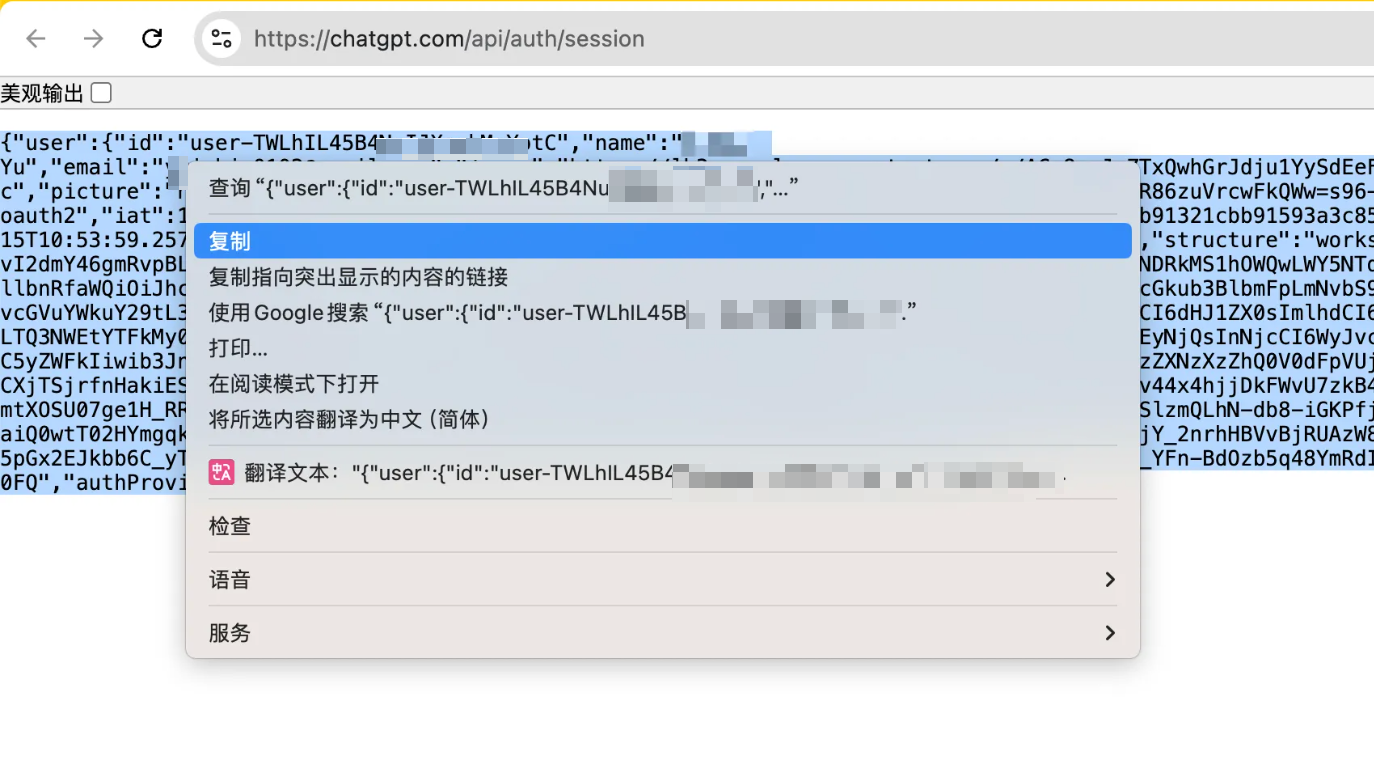
Get and copy the account token / credential info (as prompted by the platform)
- The platform will guide you to obtain an account-related token in your current browser (note: this is the credential needed for this top-up and is only used to verify the target account).
- If you're using an incognito window, do all the operations in that incognito window.
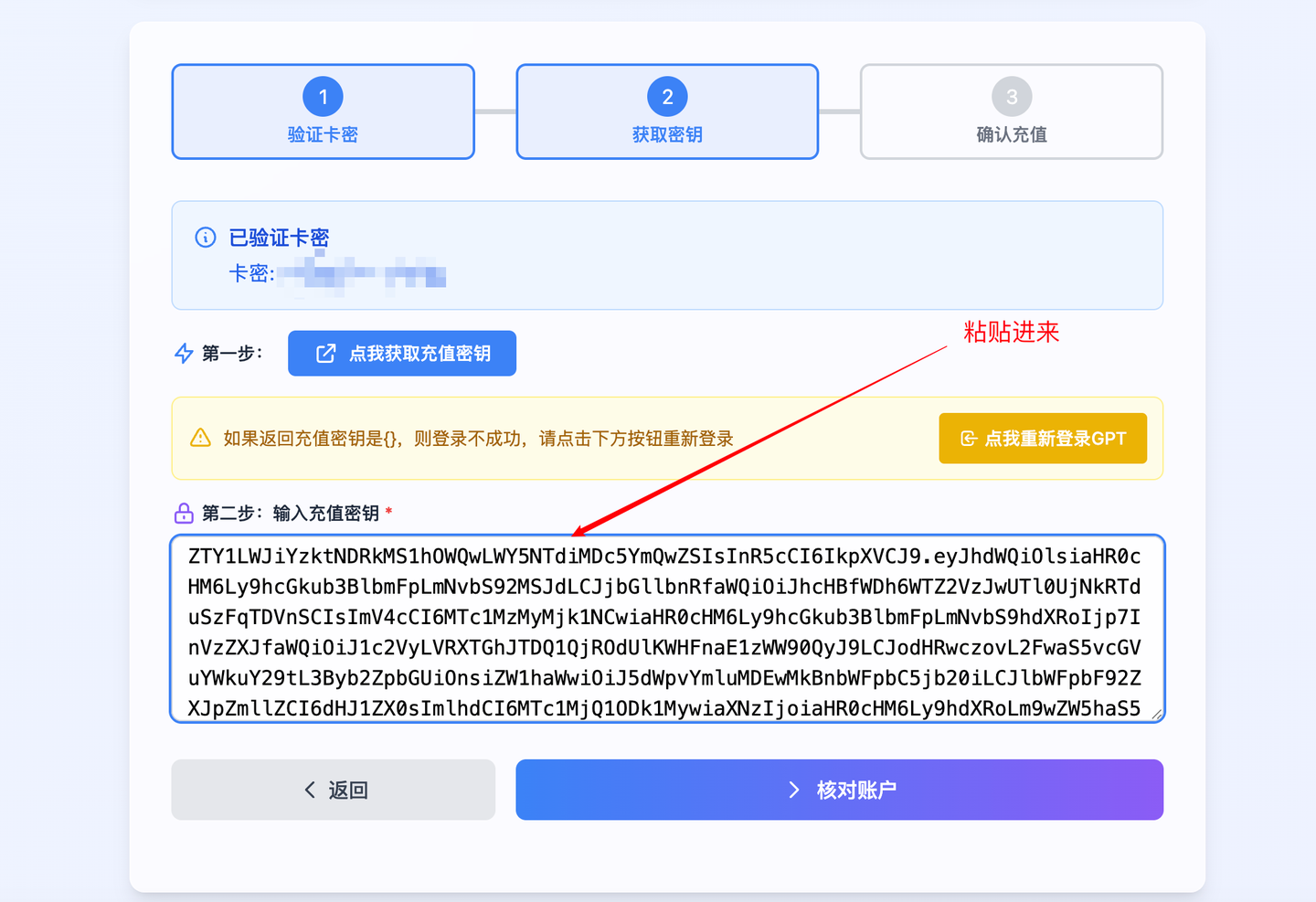
Paste all the info back into the top-up system and verify the account
- After pasting, click verify account; the platform will confirm whether it's the account you want to top up.
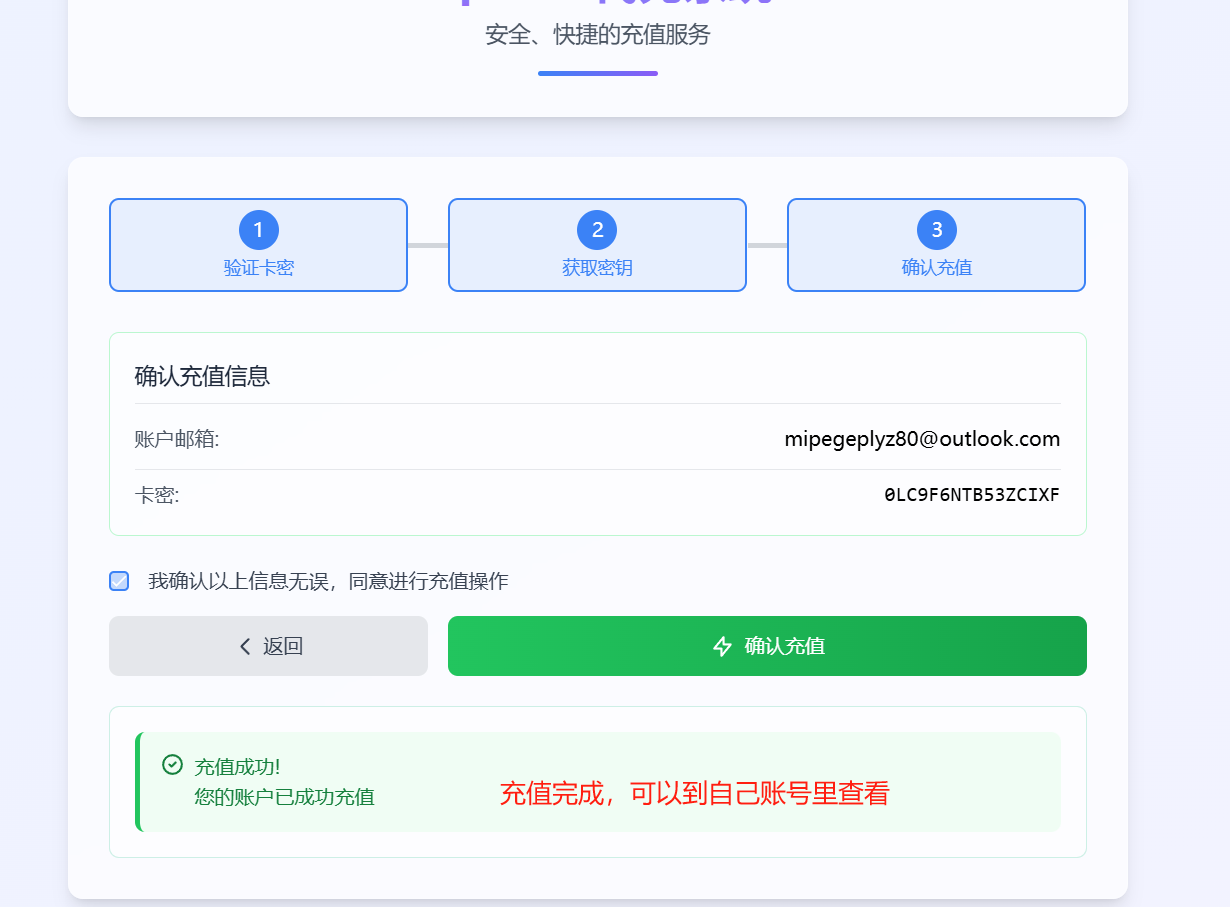
Complete the top-up and wait for it to take effect (usually 1–2 minutes)
- After the top-up succeeds, go back to the ChatGPT page and refresh; the page will show that you've been upgraded to Plus (if you don't see it, wait a moment or log in again).
Common reasons a top-up fails
- Your current account already has an active Plus subscription (you need to wait for it to expire before topping up again).
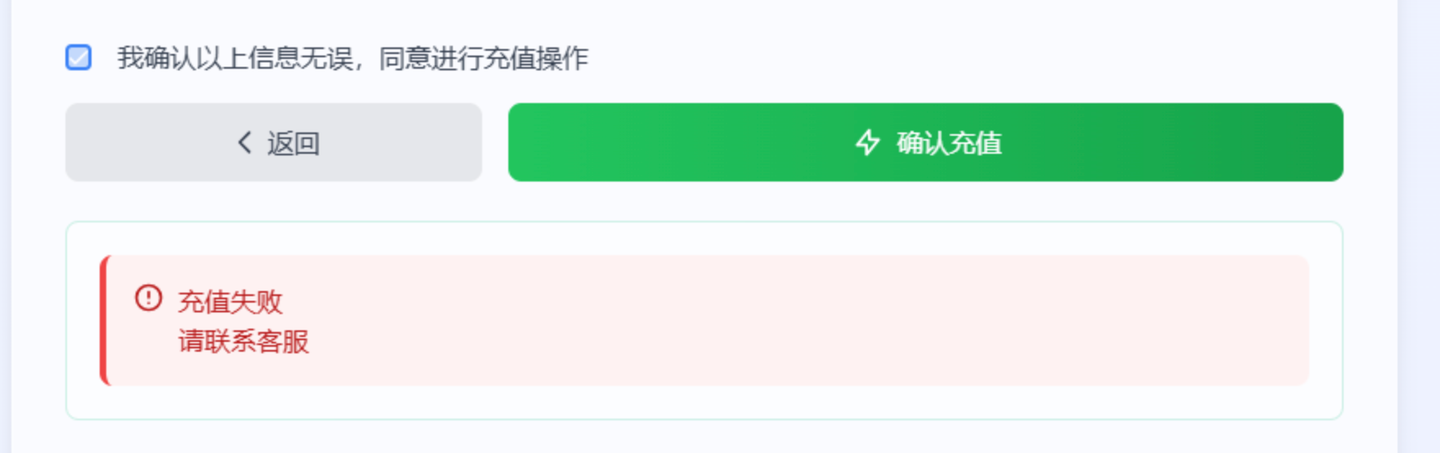
- Your current account already has an active Plus subscription (you need to wait for it to expire before topping up again).
Tip: some current top-up systems don't support auto-renewal — so each time the subscription expires, you need to manually top up again (this also avoids the pre-payment risk of auto-renewal).
# FAQ (Frequently Asked Questions)
Q1: Will using a paid top-up service get my account banned? A: Most users report it's fine, but the risk still exists. If the platform's operations or token submission steps are abused, security issues may arise. Be sure to choose a reputable platform and protect your account properly.
Q2: Can I enable auto-renewal? A: Many top-up systems don't support auto-renewal yet, so you need to manually renew after the subscription expires; some platforms do offer renewal services, so confirm before purchasing.
Q3: How long does it take to take effect after topping up? A: Usually 1–2 minutes, at most a few hours. If it hasn't taken effect for a long time, contact the top-up platform's customer service and keep your order information.
Q4: Can I bind a virtual card directly on OpenAI? A: You can try, but the quality of virtual card services varies and some services have been suspended, so there's a risk of failure or follow-up problems.