The Complete 2026 ChatGPT Sign-Up Guide: 100% Success Illustrated Tutorial Without a Phone Number for China Users, Plus Anti-Ban Guide
💡 Article Guide: Want to successfully sign up for ChatGPT in China? This article provides the latest and most detailed ChatGPT registration tutorial for 2026. A full hands-on illustrated walkthrough, guiding you from Outlook international email registration to OpenAI account registration. Master the anti-ban techniques and network setup, and even beginners can easily use today's most powerful AI tool!
# 📑 Table of Contents (click to jump)
Chapter 1: Outlook International Email Registration Tutorial (First Choice for ChatGPT Sign-Up)
Chapter 2: Full Guide to Registering an OpenAI/ChatGPT Account
📧 Chapter 1: Outlook International Email Registration Tutorial (First Choice for ChatGPT Sign-Up)
When signing up for ChatGPT in China, it's strongly recommended not to use domestic email services (such as QQ or NetEase), as they're easily blocked by OpenAI. Outlook email is currently one of the international email services with the highest sign-up success rate.
1.1 Visit Microsoft's official site to start registration
First, we need to prepare a clean international email.
https://outlook.com (opens new window)
📌 It's recommended to use Chrome or Edge browser with incognito mode (private window) enabled to avoid interference from local cookies.
1.2 Create a new account and set a password
Click the "Create now" button on the page:
Choose "Agree and continue" in the pop-up privacy prompt:
Next, set your email username:
Set a strong password:
🔑 Key setup suggestions:
- Username combination: It's recommended to use an
English name + numberscombination (for example:john2026ai@outlook.com) to improve the one-shot pass rate. - Password security: The password must include uppercase + lowercase letters + numbers + special symbols to meet international account security standards.
1.3 Region selection and anti-ban tips
Now we reach the region settings screen:
⚠️ Important anti-ban tips for ChatGPT sign-up:
- Age setting: Your birth year must be set before 2005 (ensuring you're over 18), otherwise OpenAI will refuse service due to age restrictions.
- Region selection: It's recommended to select United States directly for the address. If you need to fill in a specific state, choose a tax-free state (such as Delaware or Oregon) to make it easier to upgrade to ChatGPT Plus later.
# See the following screen? Congratulations, your email is registered successfully! Get ready for the next step.

🤖 Chapter 2: Full Guide to Registering an OpenAI/ChatGPT Account
With the network environment and international email ready, we can officially start registering an OpenAI account.
2.1 Visit the ChatGPT official site
https://chat.openai.com/ (opens new window)
Enter the URL in your browser's address bar and visit the ChatGPT official website, then click Sign up (free registration) in the top-right corner.
🌐 Network requirements: you must use an overseas network IP (nodes in US locations like Los Angeles or Silicon Valley are strongly recommended). Do not use Hong Kong or Taiwan nodes, otherwise you'll get a "not available in your region" message.
In the registration box, enter the Outlook email address you registered in Chapter 1:
Set a secure password for your OpenAI account:
2.2 Full email verification process
After submitting your registration info, OpenAI will send a verification email to your Outlook inbox.
✅ Secrets to successful verification:
- If you don't see the email in your inbox, be sure to check the spam folder.
- The verification link is time-sensitive; click
Verify email addresswithin 30 minutes of receiving the email. - Key detail: when clicking the verification link, make sure your current network IP matches the IP used when you first started registering — never switch nodes mid-way.
2.3 CAPTCHA (human verification) solutions
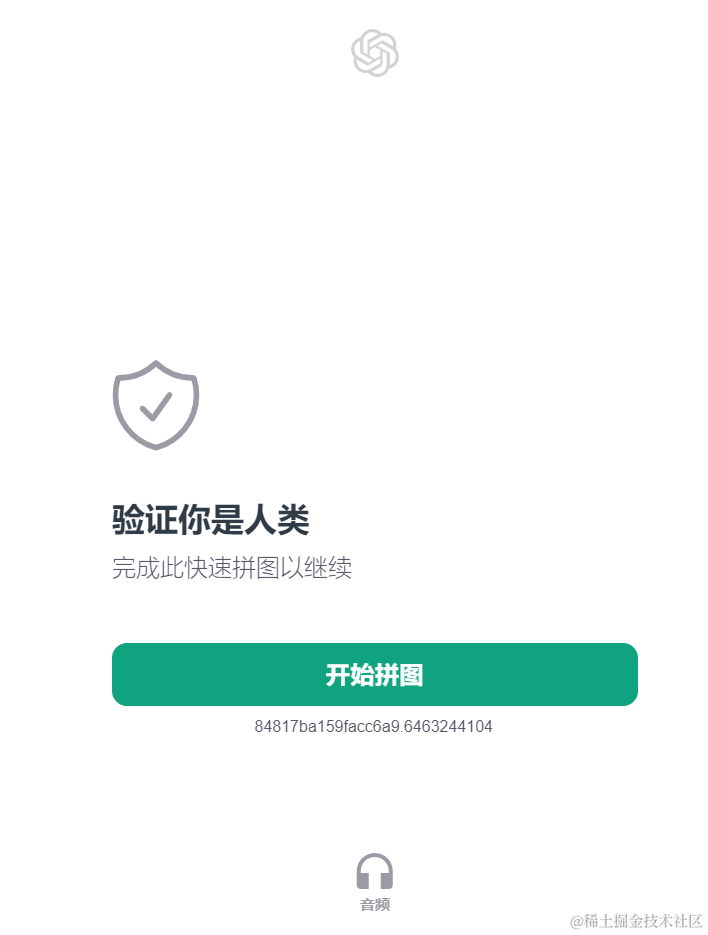During registration, to prevent bulk bot registration, you may encounter a visual puzzle CAPTCHA.
💡 Common verification issues and solutions:
- Verification keeps spinning / fails to load: usually the current node has high latency; try switching to another clean overseas IP node and refresh the page.
- Repeated verification failures: try clearing the browser's cookies and cache, or switch to Edge/Firefox and retry.
- Ultimate solution: if you're stuck on desktop, try connecting your phone to the same overseas network and complete the CAPTCHA via your phone's browser — the success rate is often higher.
2.4 Successfully entering the ChatGPT chat interface
After completing all verification steps, you'll enter the ChatGPT chat interface directly!
Now, start your AI journey! Type "Who are you?" in the chat box at the bottom to test it out.
Congratulations! At this point, your ChatGPT account registration is fully complete.
🙋♂️ FAQ (Frequently Asked Questions)
Q1: Do I still need an overseas phone number to sign up for ChatGPT in China in 2026? A: Currently OpenAI has relaxed restrictions for most regular registrations. As long as your network environment (IP address) is clean enough and you use a quality international email like Outlook or Gmail, following this tutorial you can usually register directly without a phone number.
Q2: What should I do if it says "OpenAI's services are not available in your country"? A: This is the most common region-restriction message. It means your current IP has been identified by OpenAI as from an unsupported region (such as mainland China or Hong Kong). Thoroughly clear your browser cache, switch to a high-quality node in the US or Europe, and try again.
Q3: What's the difference between the free version and ChatGPT Plus? A: A newly registered free account can use the basic GPT models by default, which is enough for everyday conversations, translation, and text creation. If you need more advanced logical reasoning, data analysis, image generation, and faster response times, you can consider upgrading to ChatGPT Plus later.