ChatGPT Business vs Plus: Price, Limits, Features
In an era when AI tools are becoming more and more common, many users are struggling to decide whether ChatGPT Business (Team) or ChatGPT Plus suits them better. This article will detail the differences between ChatGPT Business and ChatGPT Plus, helping you understand their functional differences, privacy protection, and applicable scenarios. At the same time, we'll share how to set up and top up ChatGPT Business, including official channels and more convenient third-party platform tutorials. Through this ChatGPT Business vs Plus comparison guide, you can easily choose and activate the most cost-effective membership plan.
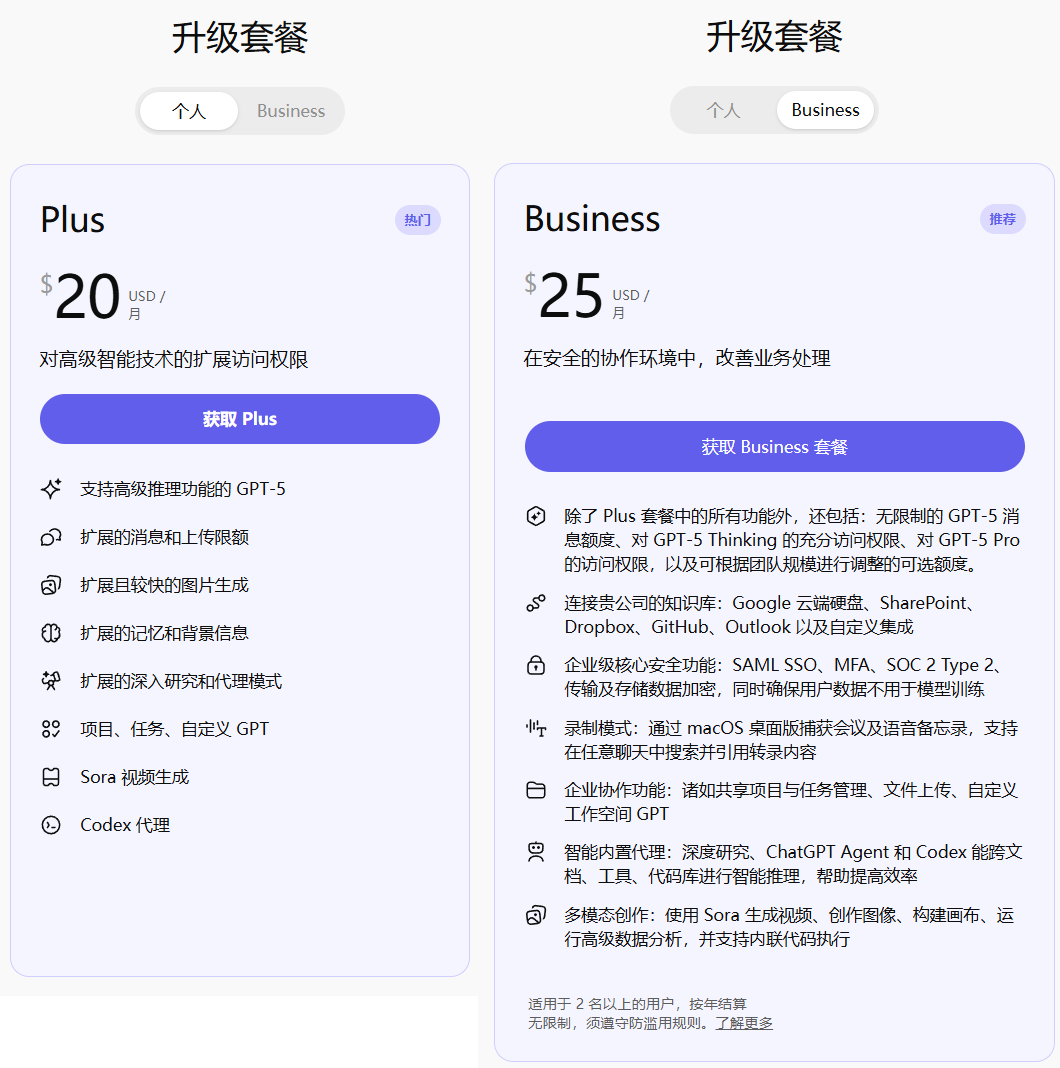
First, a bit of context: ChatGPT Business is not a shared or pooled model. Once you subscribe, each user's workspace is independent with space isolation to ensure privacy and security — no one (including other members) can view your chat history.
Here is the side-by-side summary (prices and limits follow the official pricing page: openai.com/chatgpt/pricing (opens new window)):
| Comparison | ChatGPT Plus | ChatGPT Business |
|---|---|---|
| Price | $20/month | $30/user/month (approx. 219 RMB; official promotions can be lower) |
| Billing | Subscription per account | Per seat, one seat per workspace |
| Models & features | GPT-5 family, Thinking, Sora, Codex | Everything in Plus, plus advanced models such as GPT-5 Pro |
| Message limits | Metered | Officially listed as "unlimited" GPT-5 messages |
| Codex quota | Baseline (1x) | About 0.4x that of Plus (after the April 2026 adjustment — see Codex usage limits (opens new window)) |
| Data privacy | Personal space data may be used for training by default | Separate workspace, not used for training by default, cleared when the plan expires |
| Best for | Individuals with heavy usage and a tighter budget | Teams, privacy-sensitive users, or anyone who needs GPT-5 Pro |
Recommended site for ChatGPT Plus and Business top-up services: https://gptplus.org.cn/ (opens new window)
# ChatGPT Business vs Plus: A Detailed Comparison of Features, Privacy, and Quotas
# 1. Are ChatGPT Business members' chat histories independent?
Yes. ChatGPT Business uses an independent workspace design — it's not a shared or pooled model. Each seat is separate, chat histories are completely isolated, OpenAI does not use this data to train models, and privacy and security are higher. After the plan expires, data is automatically cleaned up, further protecting information security. This is a key difference in the ChatGPT Business vs Plus comparison, especially suitable for businesses or privacy-sensitive users.
# 2. Can ChatGPT Business and Plus be used at the same time?
Absolutely! One account supports having both ChatGPT Plus and Business spaces simultaneously. You can freely switch between them as needed, and even have multiple Business workspaces (each additional space requires a corresponding fee, e.g., $25/month). This makes ChatGPT Business more flexible after activation, suitable for both individuals and teams in multiple scenarios.
# 3. What are the functional differences between ChatGPT Business and Plus?
ChatGPT Business includes all the features of the Plus plan, and additionally provides advanced capabilities, including: unlimited GPT-5 message quotas, more GPT-5 Thinking, Codex and Sora access, independent workspaces, and support for advanced models like GPT-5 Pro. Compared with ChatGPT Plus, Business comes out ahead in quotas, privacy, and professional tools. After the plan expires, data is automatically cleaned up to ensure long-term security. In the ChatGPT Business vs Plus comparison, Business is better suited to team collaboration or high-frequency use cases.
# 4. Is ChatGPT Business topped up to your own account?
Yes. It's directly topped up to your OpenAI account, with each workspace taking one seat. The official price is $30/month (about 219 RMB), but there is currently a limited-time enterprise discount price (the specific duration depends on OpenAI's promotions). We suggest starting with one ChatGPT Business to experience the powerful GPT-5 Pro model, which cannot be fully realized in ChatGPT Plus.
# 5. Why is ChatGPT Business so affordable right now?
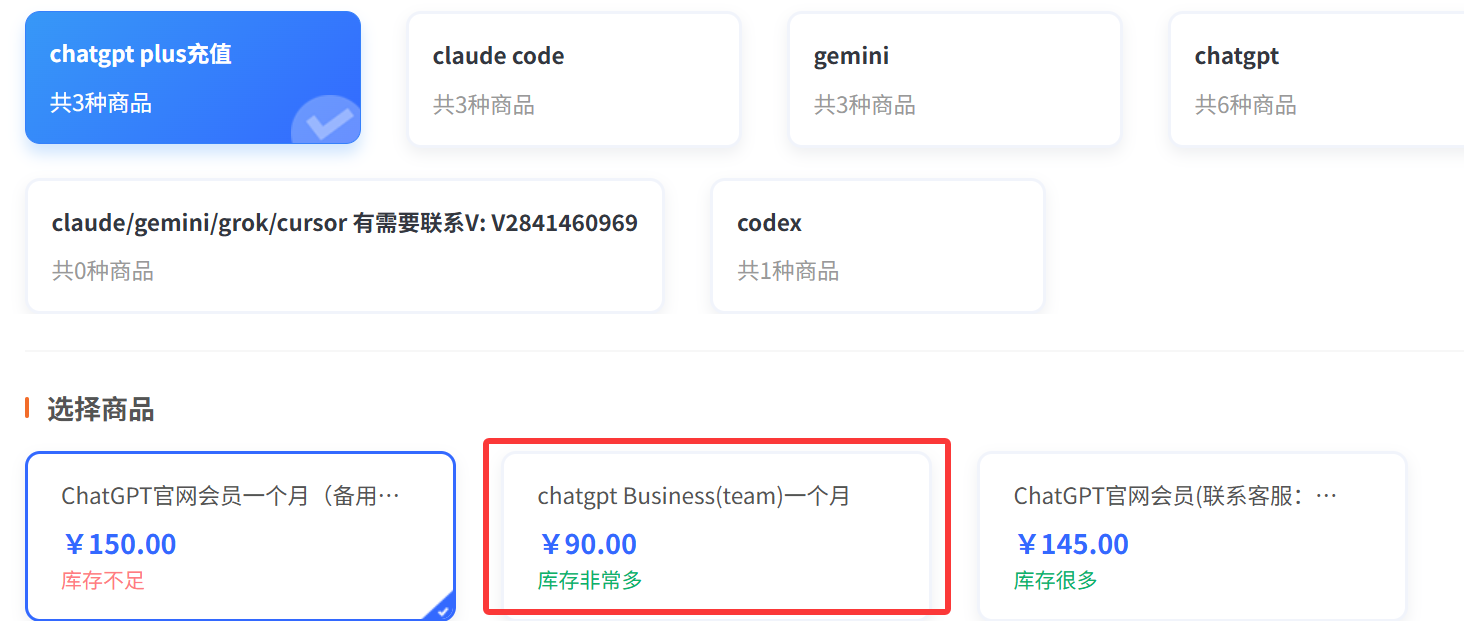
We're currently in an OpenAI enterprise promotion period that offers special discount pricing. The duration of the promotion is subject to official announcements; all top-up processes are legitimate direct recharges, safe and reliable. Take advantage of this opportunity — subscribing to ChatGPT Business lets you enjoy advanced AI features at a lower cost, making it a better deal than ChatGPT Plus.
# How to Set Up and Upgrade Your ChatGPT Business Membership? A Step-by-Step Tutorial
Setting up a ChatGPT Business membership is simple — you can choose the official channel, but the official requirements are strict: you need a compliant international Visa card and a clean overseas home static IP. If those conditions aren't met, it can easily fail.
A more convenient recommended approach: set up ChatGPT Business through a stable third-party platform. These platforms carry no account-ban risk — I've been using one continuously for 2 months with a good experience.
Recommended site: https://gptplus.org.cn/ (opens new window)
Click the link to see the latest prices — they're currently very favorable. When the plan expires, you also get an extra 1 week of use. No password needed — just your GPT account email, and the top-up is automatically applied to your account. Recharges made during the day arrive within minutes; recharges made late at night arrive the next morning. Compared with the official channel, this ChatGPT Business setup tutorial is simpler and better suited to newcomers getting started quickly.
Through this ChatGPT Business vs ChatGPT Plus comparison and setup guide, we hope it helps you choose the right plan. If you have more questions, feel free to leave a comment!
# Related Reading & Recommended Guides
- 🛠️ ChatGPT Business & Team Subscription Illustrated Tutorial (opens new window)
- 📖 ChatGPT Business Membership Detailed Review: Pricing & Benefits (opens new window)
- 📊 2026 ChatGPT Plans Comparison: Go / Plus / Pro / Business (opens new window)
- 💳 ChatGPT Plus Upgrade Tutorial and Payment Risk Prevention (opens new window)
- 💰 ChatGPT Pro Top-Up Pricing and Service Details (opens new window)
- 🌐 GPT Plus Home (https://gptplus.org.cn/en/) (opens new window)