Gemini Student Discount Verification Tutorial - Detailed Step-by-Step Guide
Welcome to this Gemini Student Discount verification tutorial! Whether you're a new or returning user, you can easily apply for Google Gemini's student discount. Both new and old accounts support secondary verification. This tutorial will guide you step by step through the Gemini student eligibility verification process to ensure you get the discount smoothly. Remember: use a US IP address throughout the entire process to avoid regional restrictions.
Gemini student discount campaign page entry: https://gemini.google/students/ (opens new window)
Below is a detailed flowchart and step-by-step instructions for the Gemini student verification process. Follow along carefully and make sure each step is performed correctly.
Step 1: Open the automated verification site
First, visit the automated verification tool site: https://sheerid-verifier.pages.dev/ (opens new window)
This is a helper tool that simplifies the Gemini student eligibility verification process.
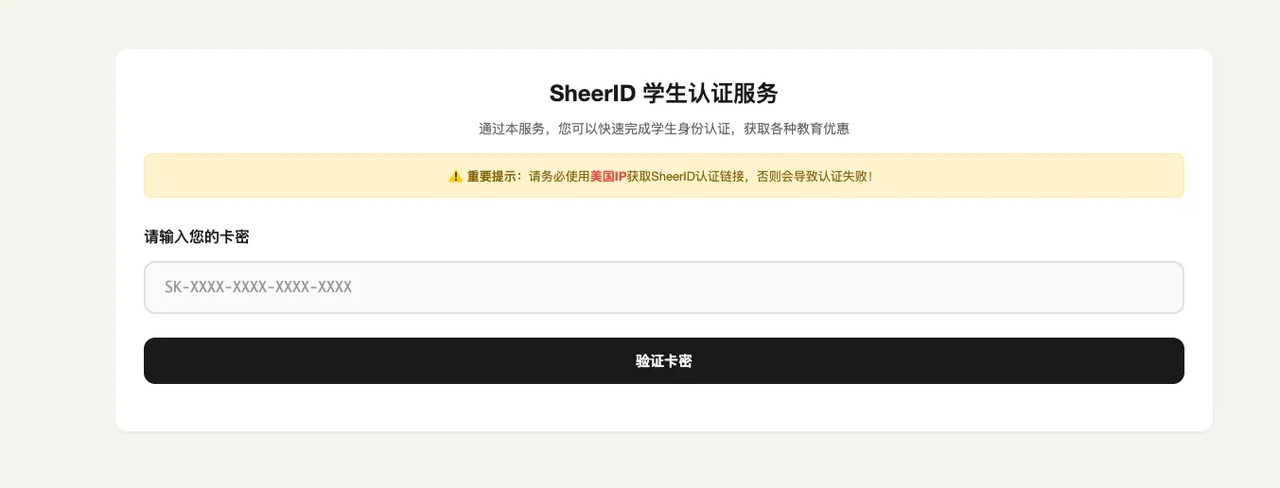
You can purchase a card code at https://www.qfcc99.com/shop/jackma (opens new window)
Step 2: Enter the card code and jump to the Gemini student verification page
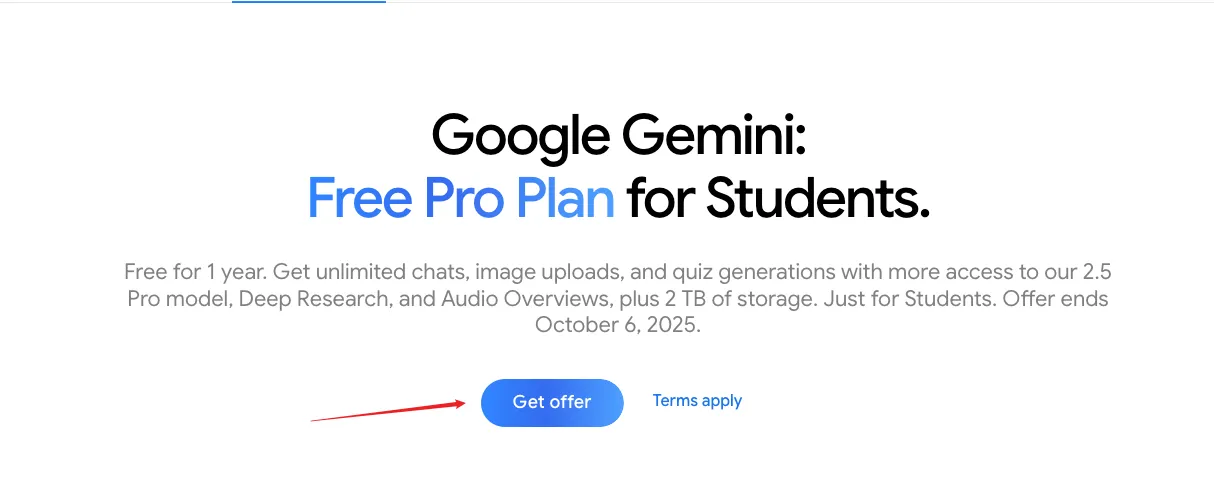
After entering the card code on the site, open the Gemini student verification address: https://gemini.google/students/ (opens new window)
Click the "Get offer" button at the bottom of the page to jump to the campaign page and begin your Google Gemini student discount application.
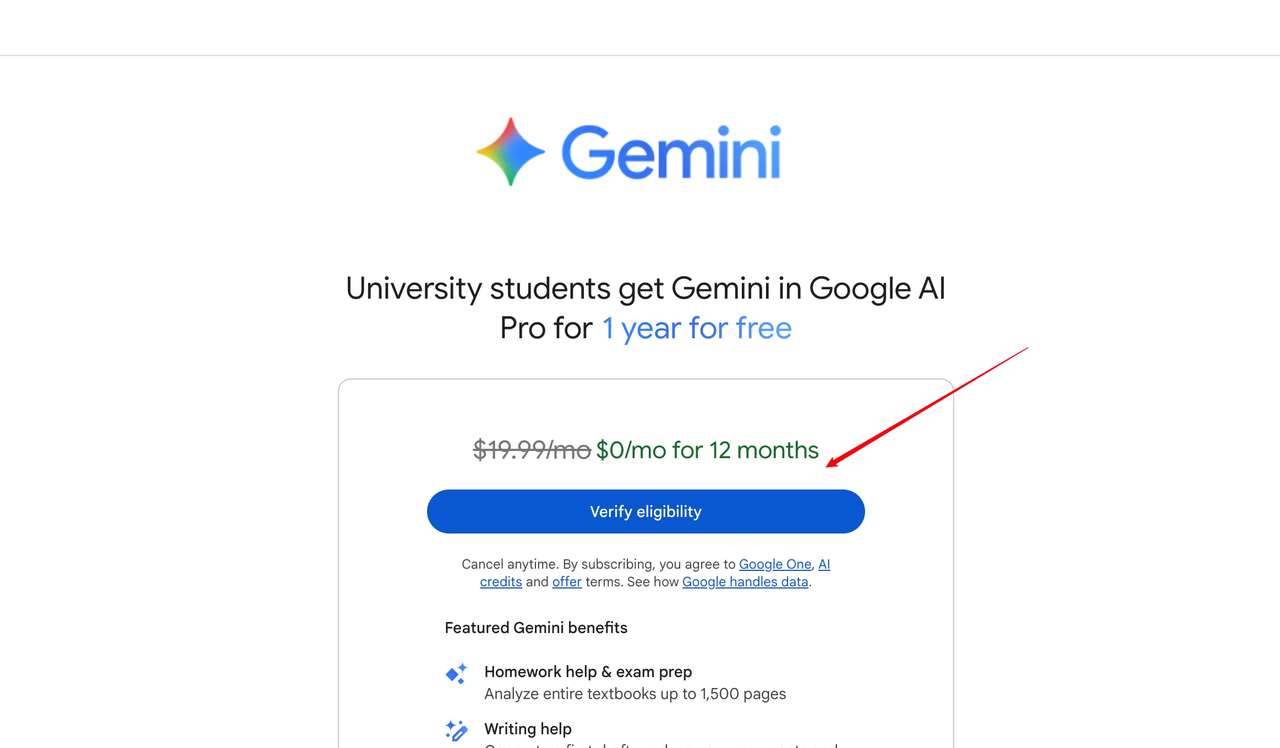
 Step 3: Click "Verify eligibility"
On the campaign page, click the "Verify eligibility" button. This will take you to the next step of Gemini student verification.
Step 3: Click "Verify eligibility"
On the campaign page, click the "Verify eligibility" button. This will take you to the next step of Gemini student verification.
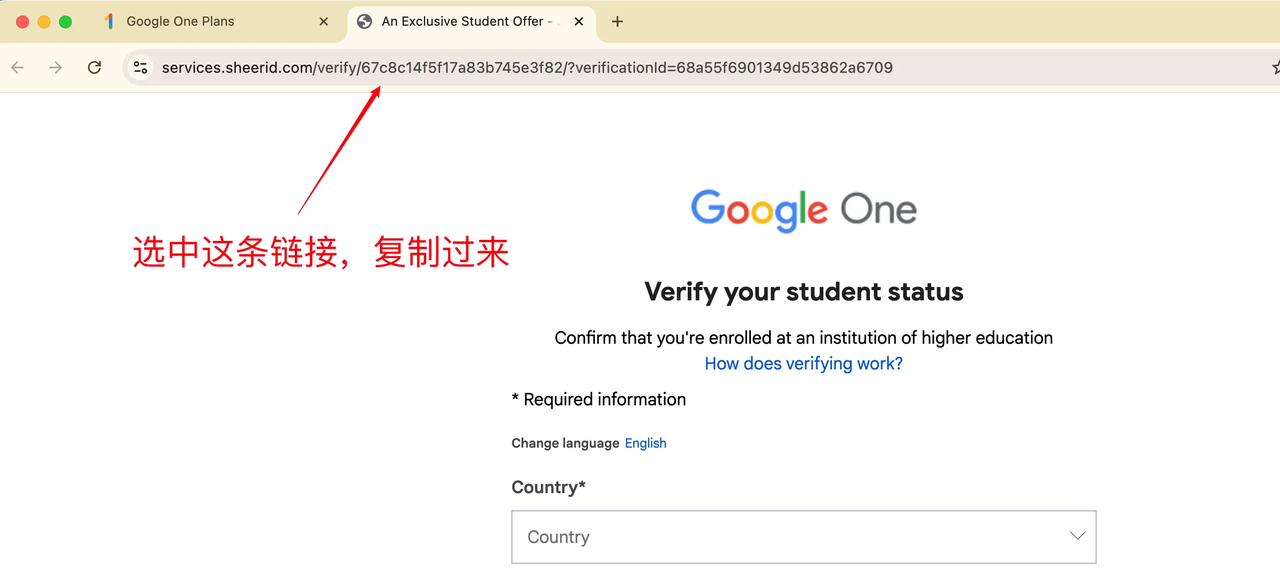
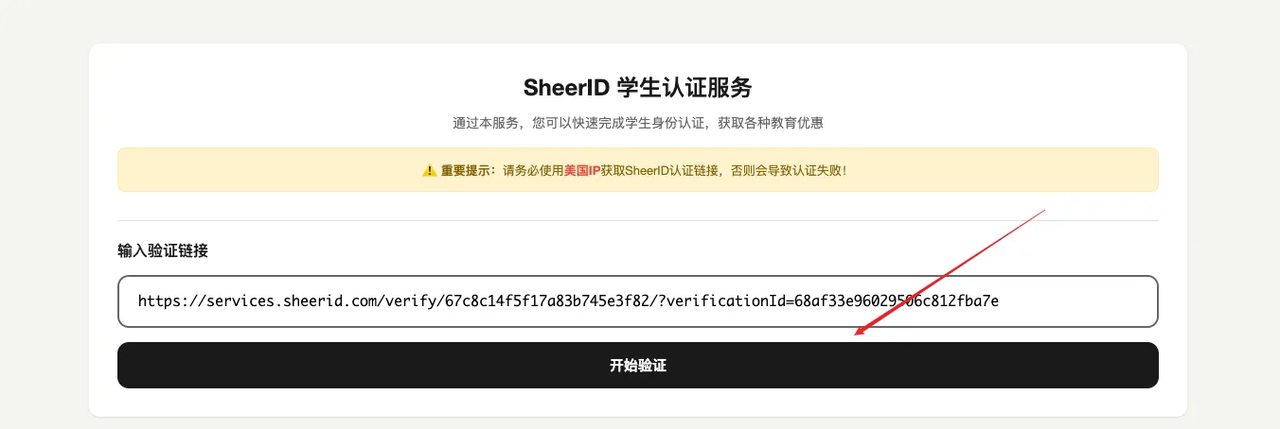
Step 4: Copy the URL and submit for automated verification
After entering the verification interface, note: do not fill in any information in the form!
Directly copy the URL at the top of the interface, paste it into the automated verification site and submit. Then click "Start verification" and wait about 10 seconds to complete the Gemini student eligibility verification.
 What to do after verification succeeds
Once verified, return to the Google page to bind a card and enjoy the Gemini student discount. Binding entry: https://one.google.com/ai-student (opens new window)
What to do after verification succeeds
Once verified, return to the Google page to bind a card and enjoy the Gemini student discount. Binding entry: https://one.google.com/ai-student (opens new window)
If you don't have a card, you can purchase one here: https://www.qfcc99.com/shop/jackma (opens new window). Remember to cancel after binding the card.
With this tutorial, you can easily complete the Google Gemini student discount verification. If you run into problems, make sure you're using a US-region IP and follow the steps strictly. For more tips about the Gemini student discount, stay tuned for updates!