How to Quickly Upgrade to GPT-5 Plus: A Practical Guide to Alipay Gift Cards and Top-Up Services
Overview (TL;DR)
- Method 1: Use iOS + US-region Apple ID + Alipay App Store gift card to make an in-app purchase upgrade in the App Store (suitable for users who can manage a US-region Apple ID).
- Method 2 (recommended): Use a stable and reliable top-up/card-key service, and follow the steps to complete the recharge in one go (no long-term payment method to bind).
- All operations carry some risk (such as Apple ID risk control, account anomalies, etc.), so proceed with caution and make sure everything is compliant and your account stays safe.
# Why Choose Alternatives?
Recently, virtual card services (such as Wildcard) have been unstable, and many users have run into payment failures, lost Plus access, and other issues. For domestic (Chinese) users, subscribing to ChatGPT Plus directly with a regular bank card is blocked by region restrictions and payment barriers, so two alternative methods are commonly used: App Store gift cards and top-up services. Below, I'll walk through the preparation and specific steps for both.
# Method 1: Use an Alipay Gift Card to Upgrade via In-App Purchase in the iPhone App Store (for users with a US-region Apple ID)
Who it's for: You own an iPhone, can register and log in to a US-region Apple ID, and can buy an App Store gift card via Alipay. Pros: Everything goes through Apple's official in-app purchase, so security is relatively high. Cons: You need to register a US-region Apple ID, switch regions, and watch out for risk control and phone/email restrictions.
# Preparation Checklist
- An iOS phone (iPhone)
- A US-region Apple ID (an email never used before is recommended)
- A mobile number that can receive verification codes (for Apple ID verification)
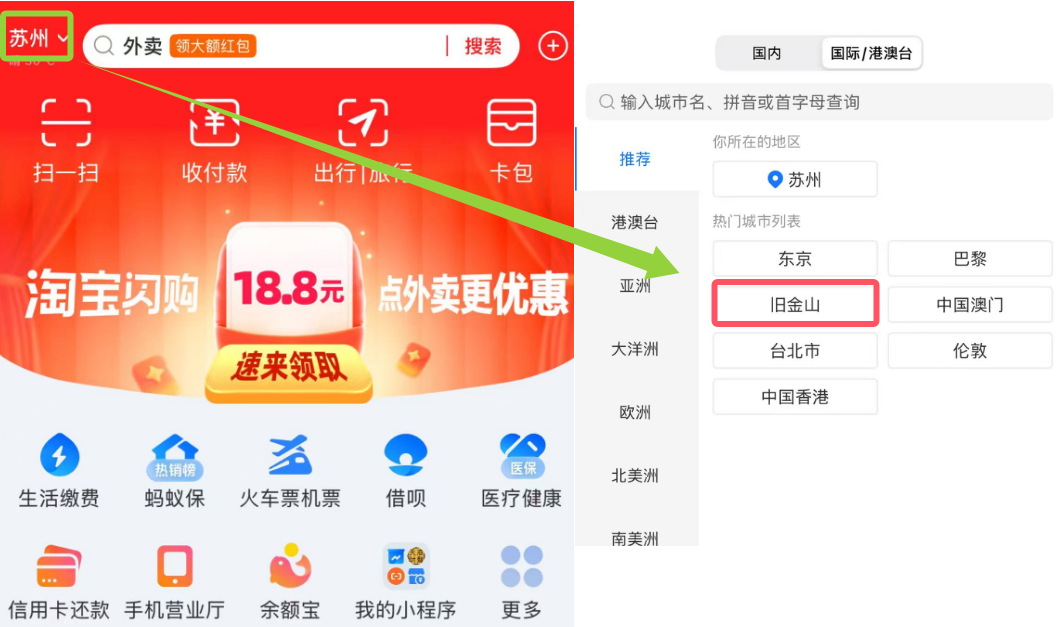
- Alipay can buy US App Store gift cards (example: search "PockytShop" for in-app gift cards)
# Detailed Steps
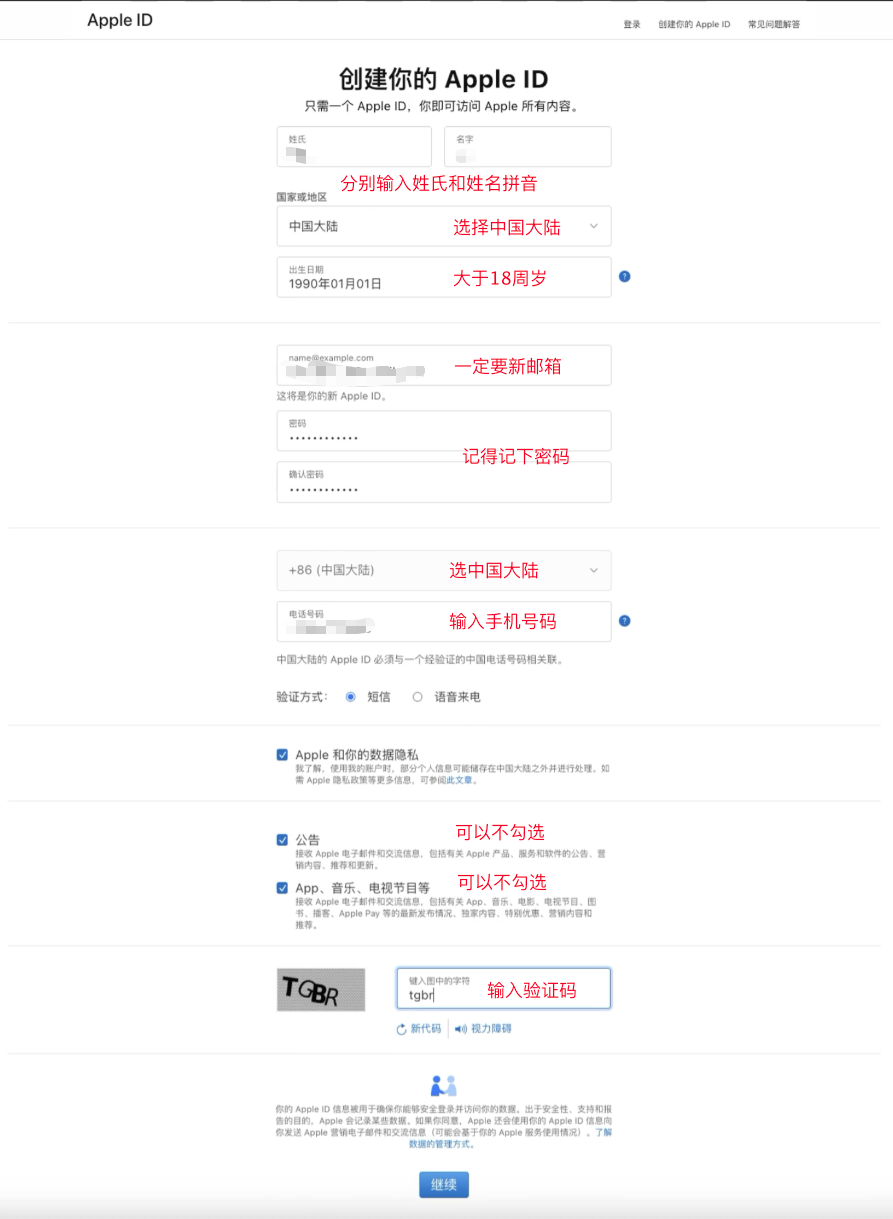
# 1. Register & Prepare the Apple ID
- Use an unused email (163 or Gmail is recommended; avoid QQ email to prevent instability) to register a US-region Apple ID.
- During registration, make sure to set your date of birth to ≥18 years old (to avoid age restrictions), and keep personal information out of both the email and password to reduce verification failure risk.
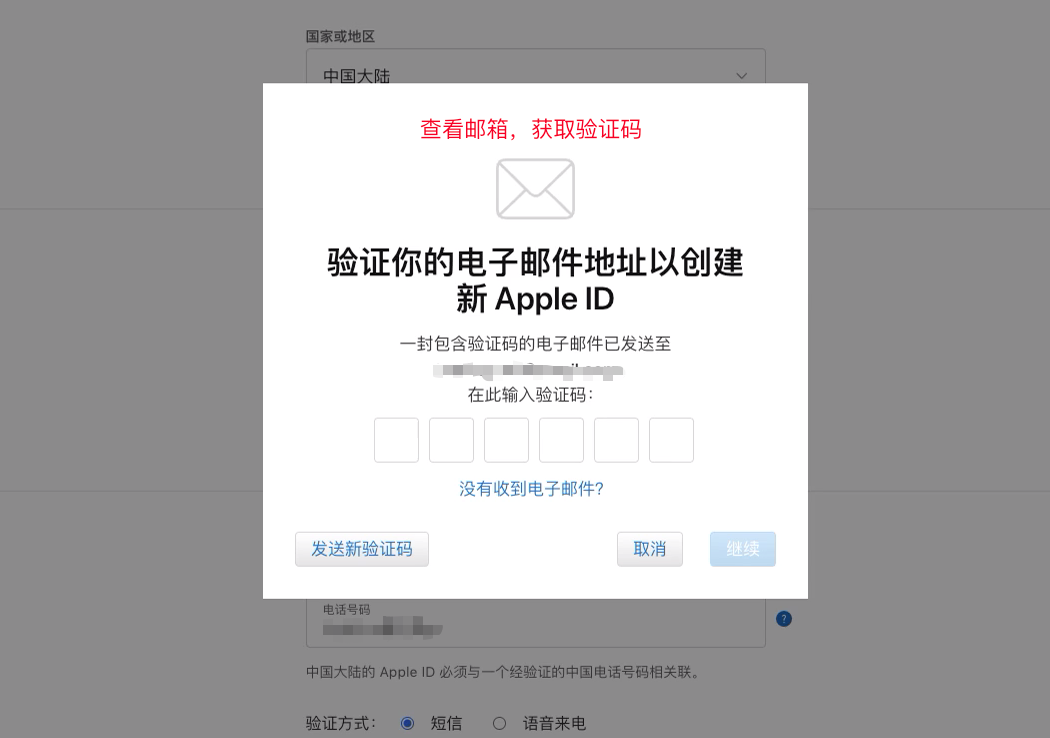
# 2. Email and Phone Double Verification
- After completing the email and phone verification code checks, continue to the next step.
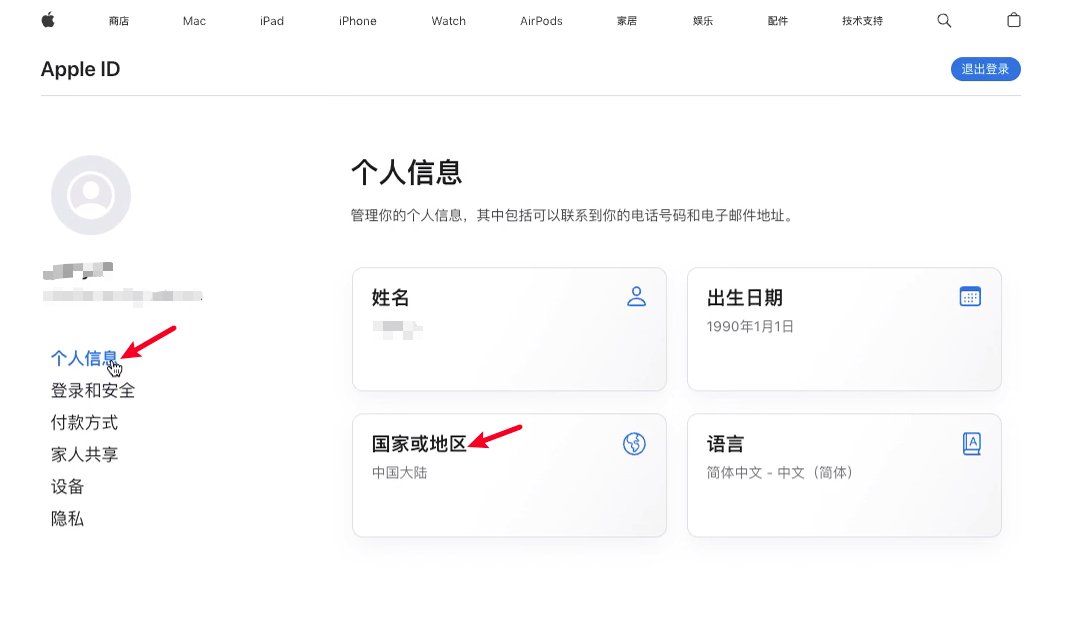
# 3. Change the Apple ID Country/Region to the United States
- After logging in to Apple ID, go to Personal Information → Country or Region, select United States, and save.
# 4. Log In to the US-Region Apple ID and Buy a Gift Card
- Open the App Store, sign out of the old account, and sign in with the newly registered US-region Apple ID.
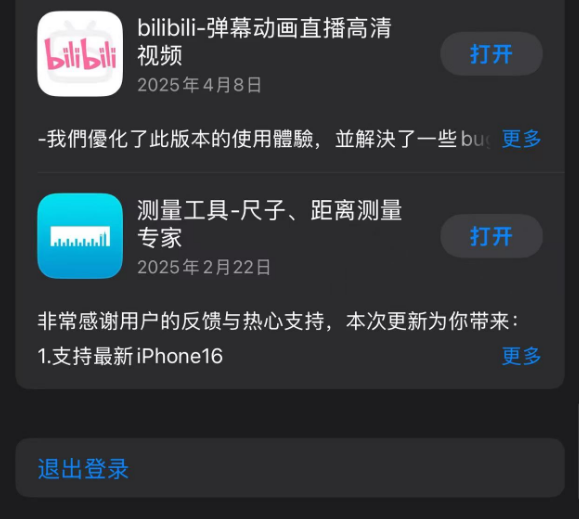
# 5. Pay with the Gift Card and Subscribe to ChatGPT Plus
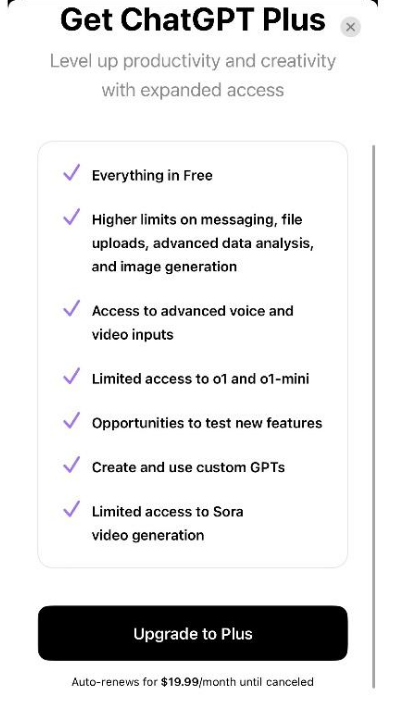
- Download the official ChatGPT app → tap Upgrade to Plus → pay with the gift card you recharged.
# Method 2 (recommended✨): Complete the Recharge in One Go via a Top-Up/Card-Key Service
Core idea: Buy a one-time $20-equivalent recharge card key, submit your current account credentials through the top-up system flow, and the platform completes the recharge. No sensitive payment info needs to be bound, and it's suitable for users who don't want to deal with an Apple ID. Pros: Simple and fast, no long-term payment method to bind. Cons: You need to be careful when choosing a service; prioritize well-regarded platforms to avoid risk.
Example top-up service entry: GPT Upgrade System (opens new window)

# Quick Operation Flow (about 2 minutes)
Enter the top-up page and purchase a card key (paid via WeChat Pay or another method, around $20).

Click Start Recharging, paste the card key you bought for verification.

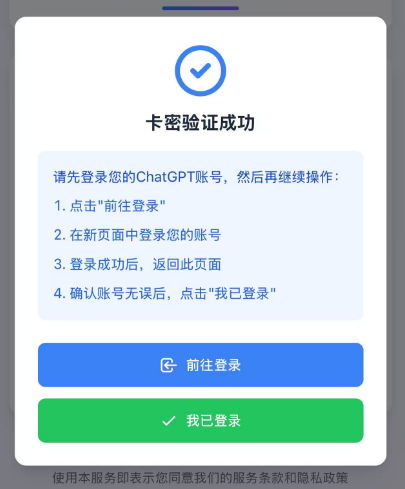
Follow the system prompts, log in to your ChatGPT account (preferably in an incognito or private window; avoid using public or others' accounts).
Obtain and copy the token credentials from the current browser window (the page will guide you on how to get them).
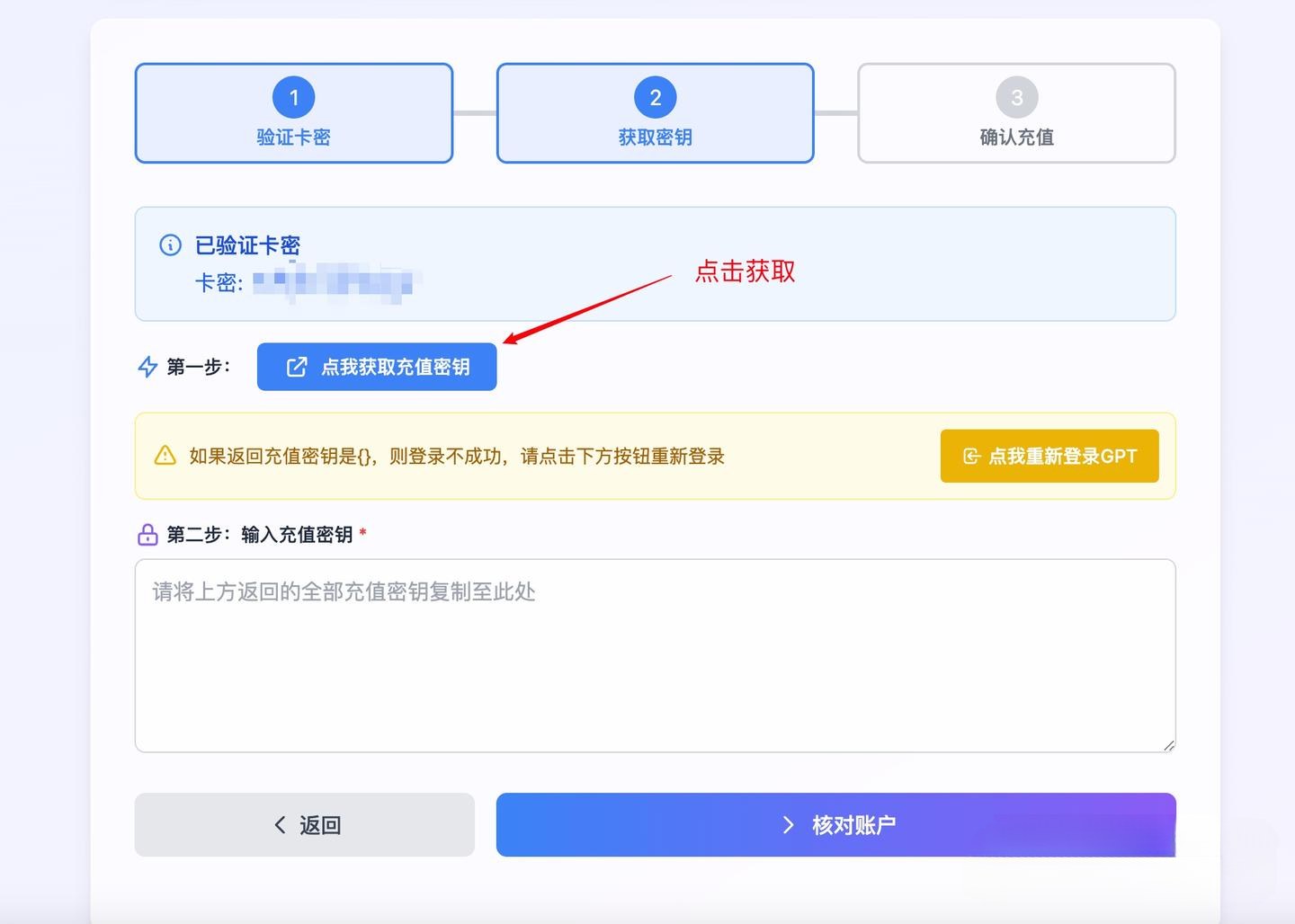
Paste the credentials back into the top-up page, verify the account info is correct, and submit the recharge.
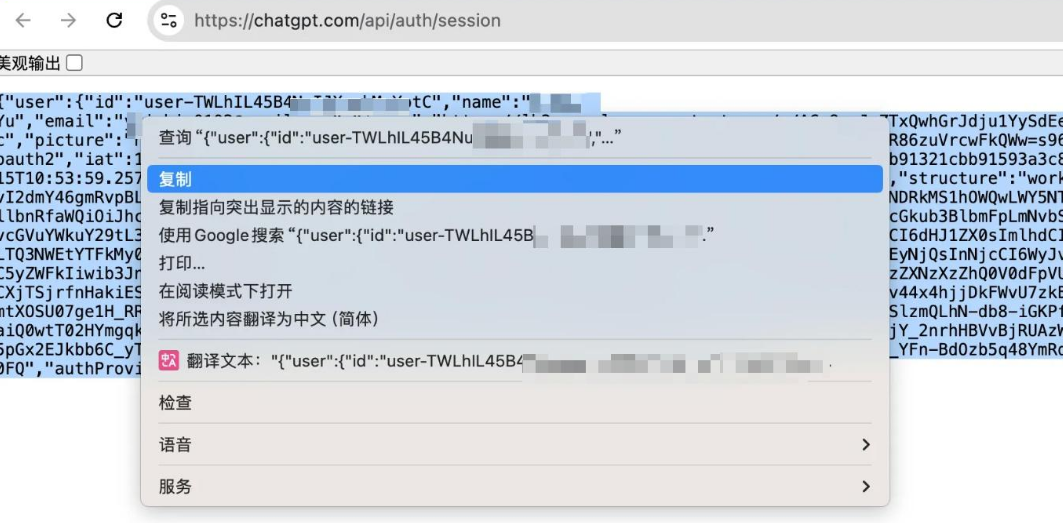
Wait for the recharge to complete — usually within 1 minute. After it succeeds, return to the ChatGPT page to check whether you've been upgraded to Plus.
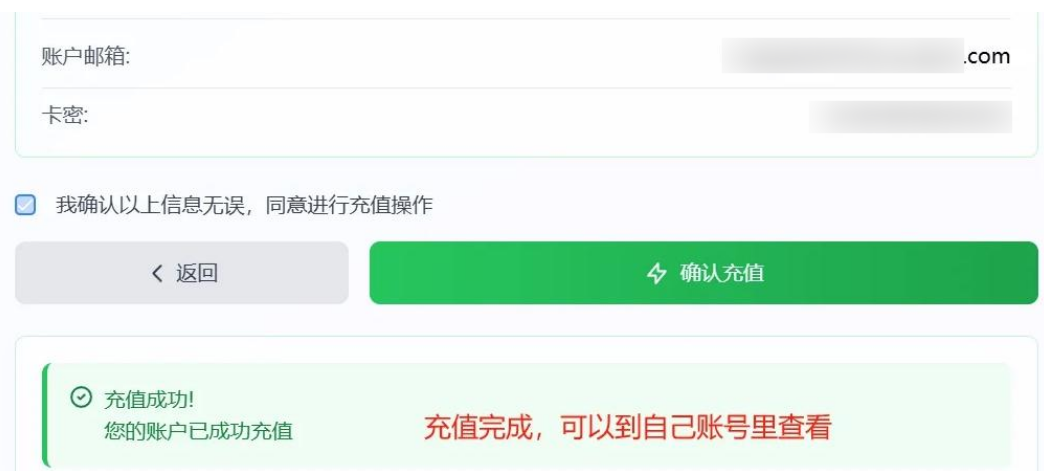
Common issue: If the recharge fails, it's usually because the account hasn't expired yet (you must be in an unsubscribed or expired state to recharge). In that case, wait for expiry and try again.
# How to Cancel ChatGPT Auto-Renewal (recommended)
If you've bound a virtual card or are worried about abnormal auto-renewal, it's recommended to manually cancel the auto-renewal setting (after canceling, your membership still works until the end of the current billing cycle).
Path: Settings → Account → Manage Subscription → Cancel subscription (this cancels auto-renewal, not your membership immediately).
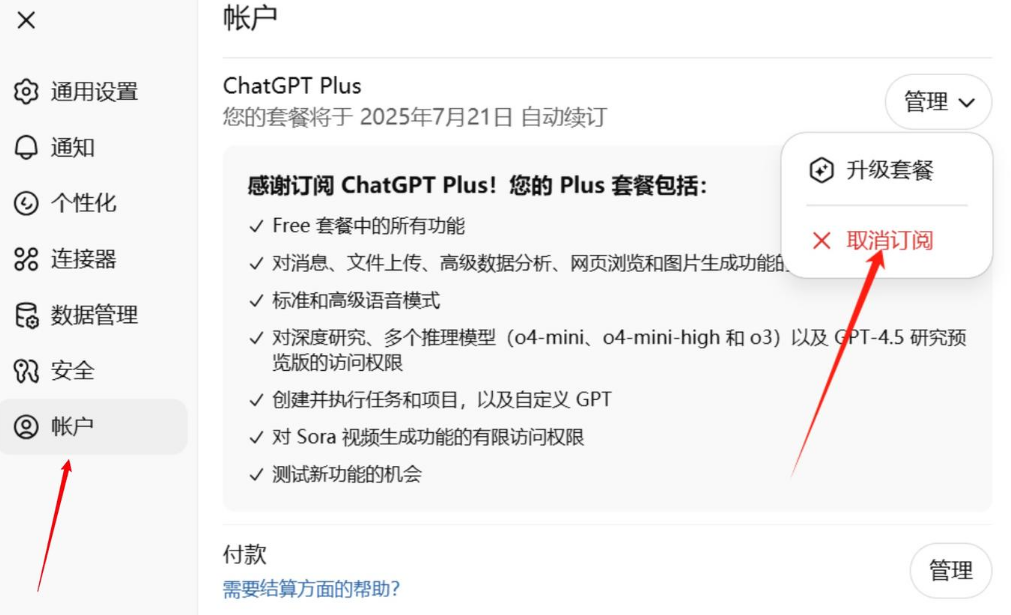
Note: With one-time gift cards or top-ups, payment is one-time and won't auto-renew after expiry, so you usually don't need to cancel anything extra.
# Risk Warnings and Safety Advice (important)
- Choose your channel carefully: Whether gift card or top-up, always pick platforms and sellers with good reputations and clear reviews.
- Protect your account info: When obtaining tokens or account-related information, only operate on trusted pages to avoid leaking account data. Never give sensitive information to unknown platforms or people.
- Compliance and risk control: Frequently changing your Apple ID country or making unconventional payments may trigger Apple/OpenAI risk control, leading to account restrictions or other issues.
- Back up your data: Before making major changes (such as operations that might trigger risk control), back up important conversation data: Settings → Data Management → Export.
# FAQ (condensed)
Q: Which is more stable, gift cards or top-ups? A: From a convenience standpoint, top-ups are faster; from an official-compliance standpoint, gift cards (via Apple in-app purchase) are closer to the official channel, though the operation is more involved.
Q: How do I confirm I'm on Plus after recharging? A: Log in to ChatGPT and check Settings → Account → Subscription status, or if the app shows "Plus", the subscription was successful.
# Conclusion and Reference Entries
If you're comfortable with Apple ID operations and can use them reliably, a US-region gift card + App Store in-app purchase is the more official method; if you want to save time, a verified top-up service can usually complete a one-time upgrade within 2 minutes. Whichever you choose, make sure your account stays secure and compliant.
Example top-up entry: https://gptplus.org.cn/ (opens new window)
//: # ( How to Register and Bind a US-Region Apple ID (Illustrated Guide))